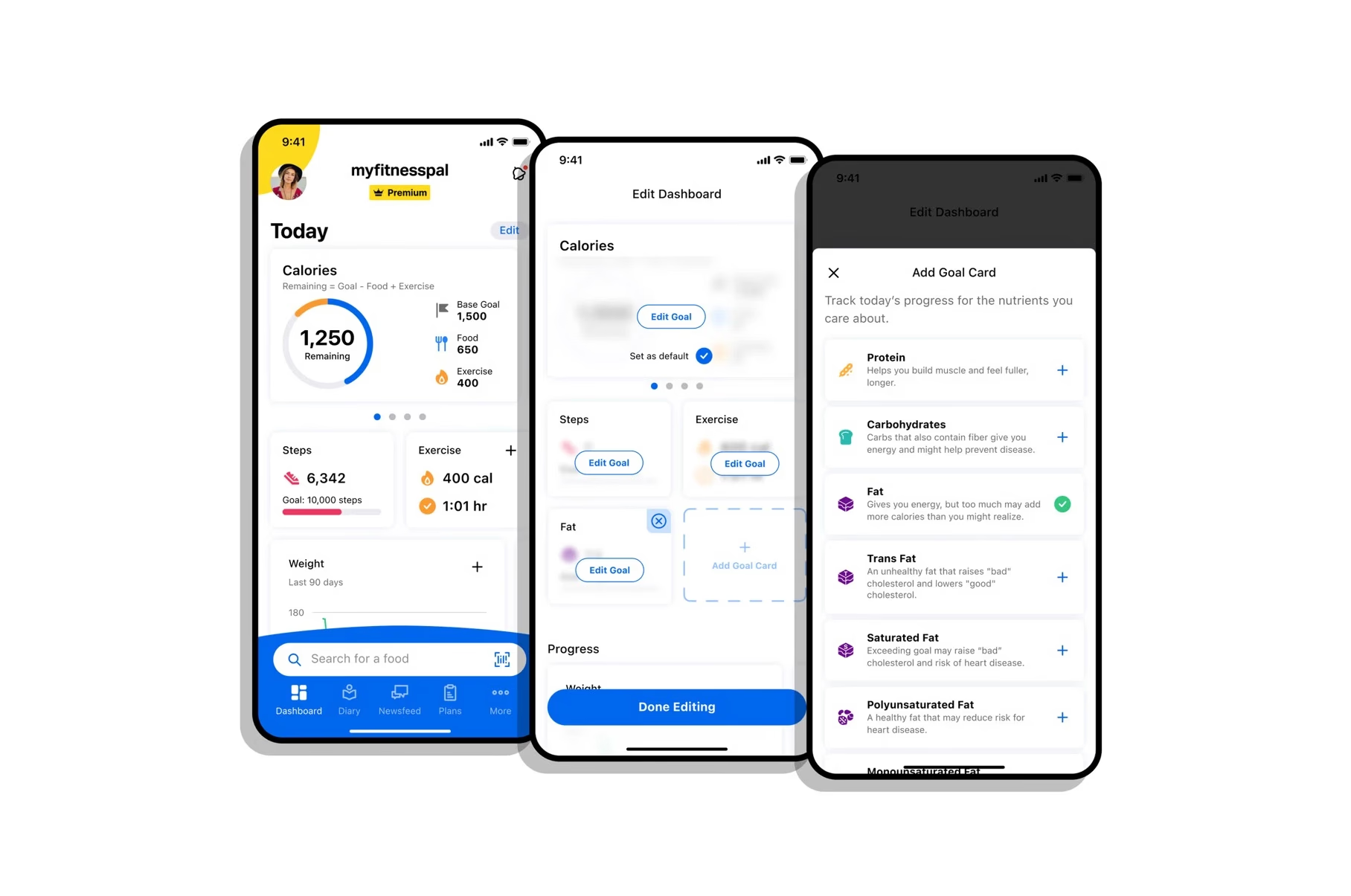
Track what matters, faster.
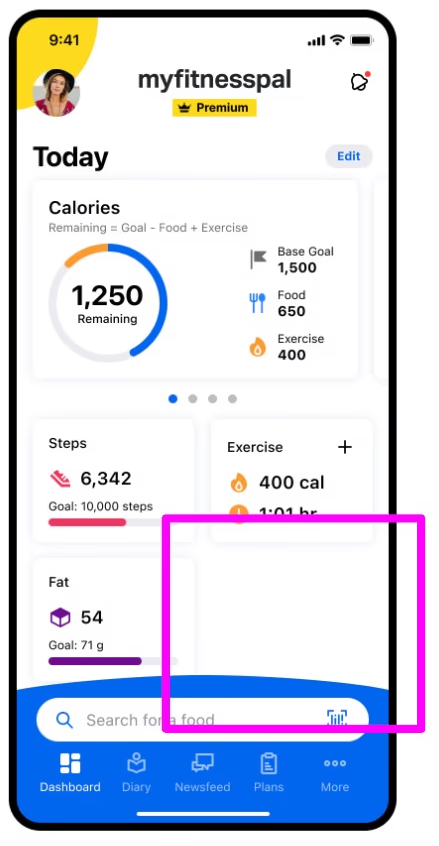
We redesigned MyFitnessPal's dashboard to make nutrient tracking intuitive, focused, and discoverable — merging the best of two prototypes into one shippable solution.
MyFitnessPal · 2022 · 2 months
Problem
Users wanted to track specific nutrients — sugar, fiber, protein, cholesterol — individually. Even Premium users with limited personalization options reported friction.
We identified two issues: the existing "create a nutrient focus" option was hard to discover, and tracking a single nutrient from the main screens required too many steps.
Hypothesis
If users can easily track specific nutrients, they'll stay on target and engage more.
If sorting and personalization controls are visible at a glance, users will focus on what matters and engagement will follow.
Competitor Analysis
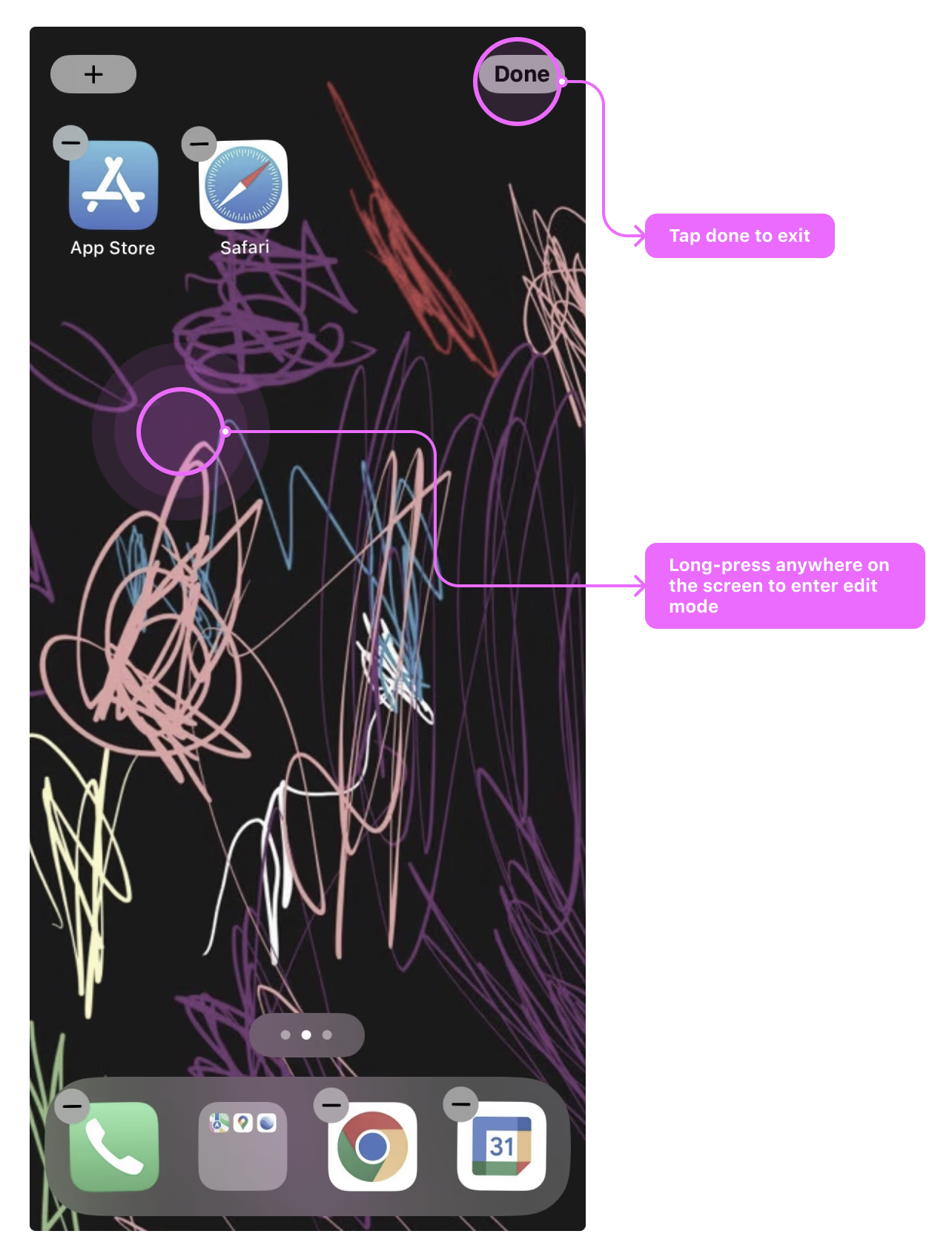
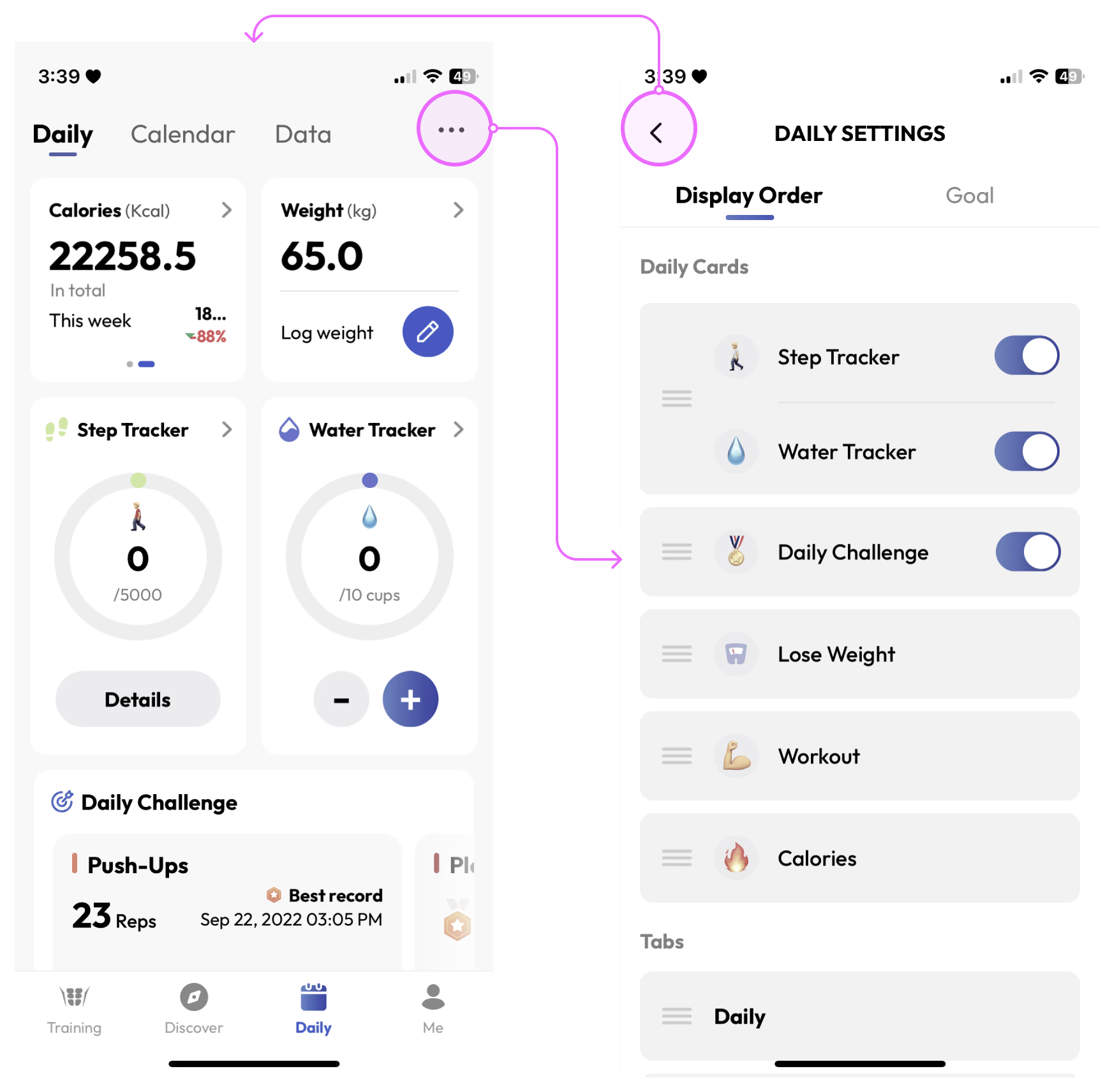
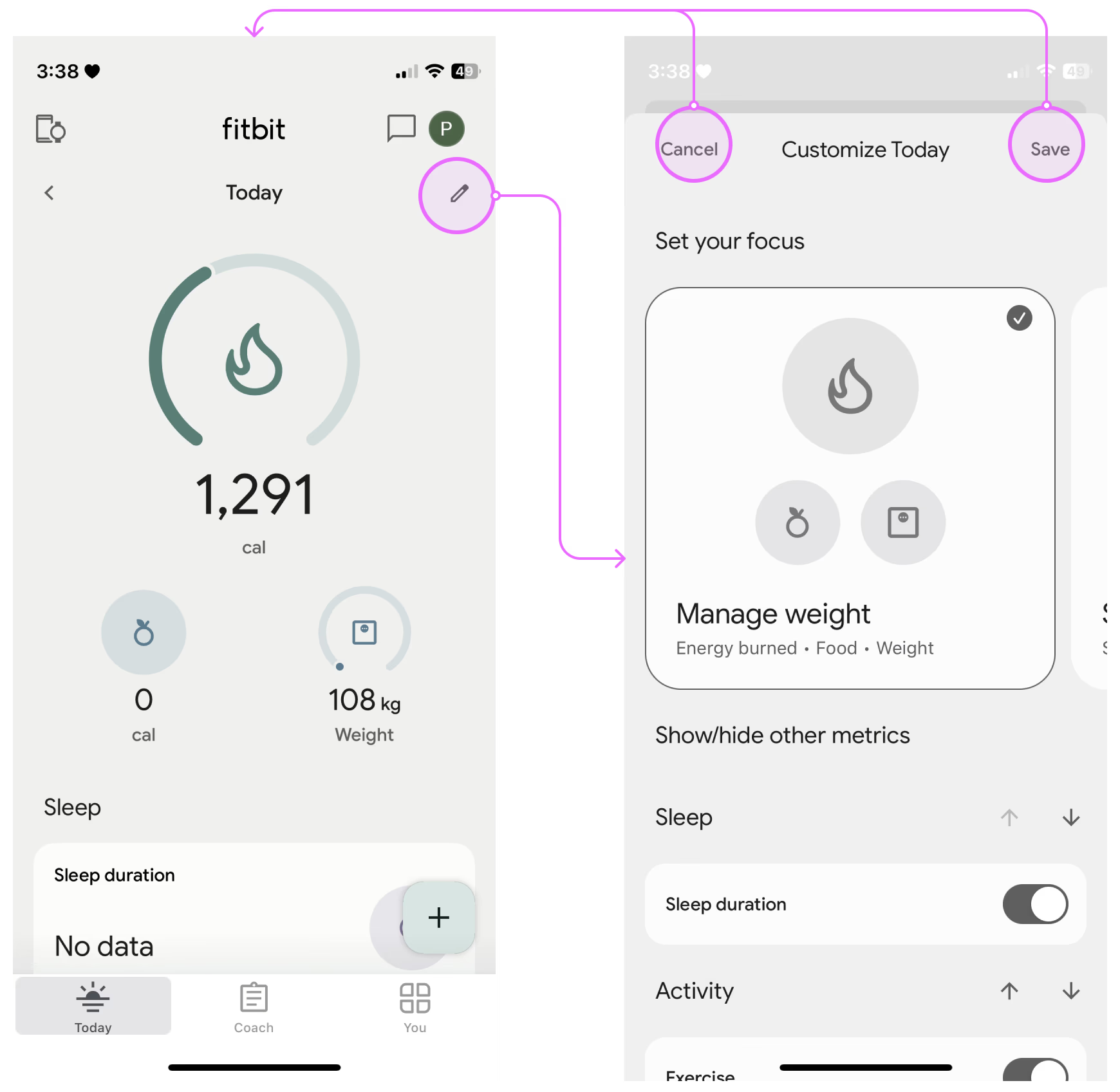
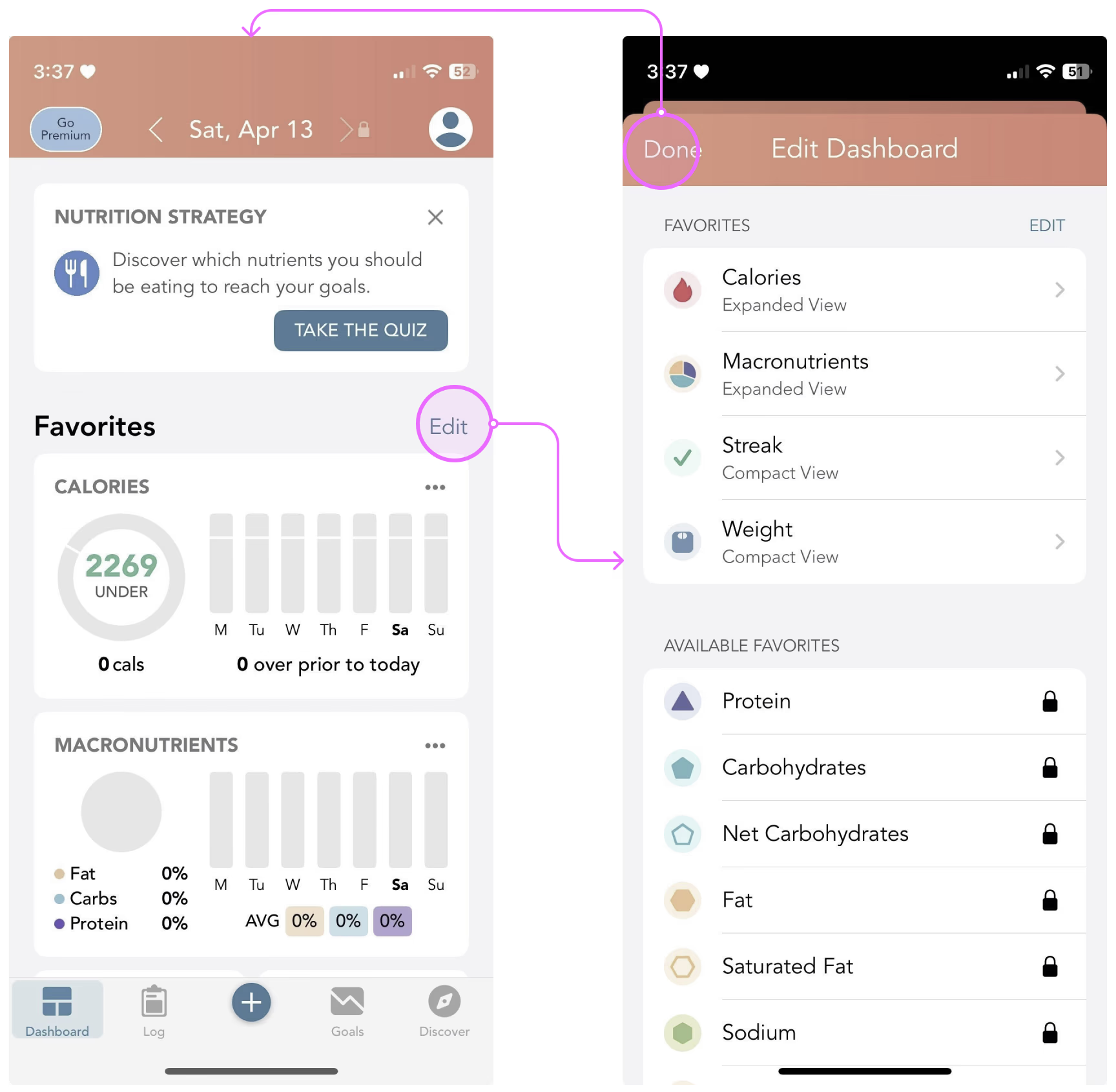
Competitor analysis showed a common pattern: a customizable dashboard that lets users rearrange, add, or hide elements to match personal goals. Leading apps simplify edit modes, make entry points clear, and keep layouts structured.
iOS competitor analysis — common patterns across leading fitness and nutrition apps
Opportunity
We identified clear opportunities to simplify personalization within MyFitnessPal — reducing steps to create a focus, removing cognitive overload from the editing experience, and giving users a reason to return.
01
Create focus quickly
Reduce the steps between "I care about protein" and having it visible on the dashboard.
02
Tailor without overwhelm
Give users control over their dashboard layout without exposing them to configuration complexity.
03
Stay motivated over time
Make personalization meaningful enough that users return and adjust their focus as goals evolve.
Help users personalize their dashboard without cognitive overload?
Surface the most relevant insights to keep users engaged and progressing toward their goals?
Concepts
With the problem framed, we explored three distinct interaction patterns — each with different tradeoffs in discoverability, complexity, and engineering feasibility.
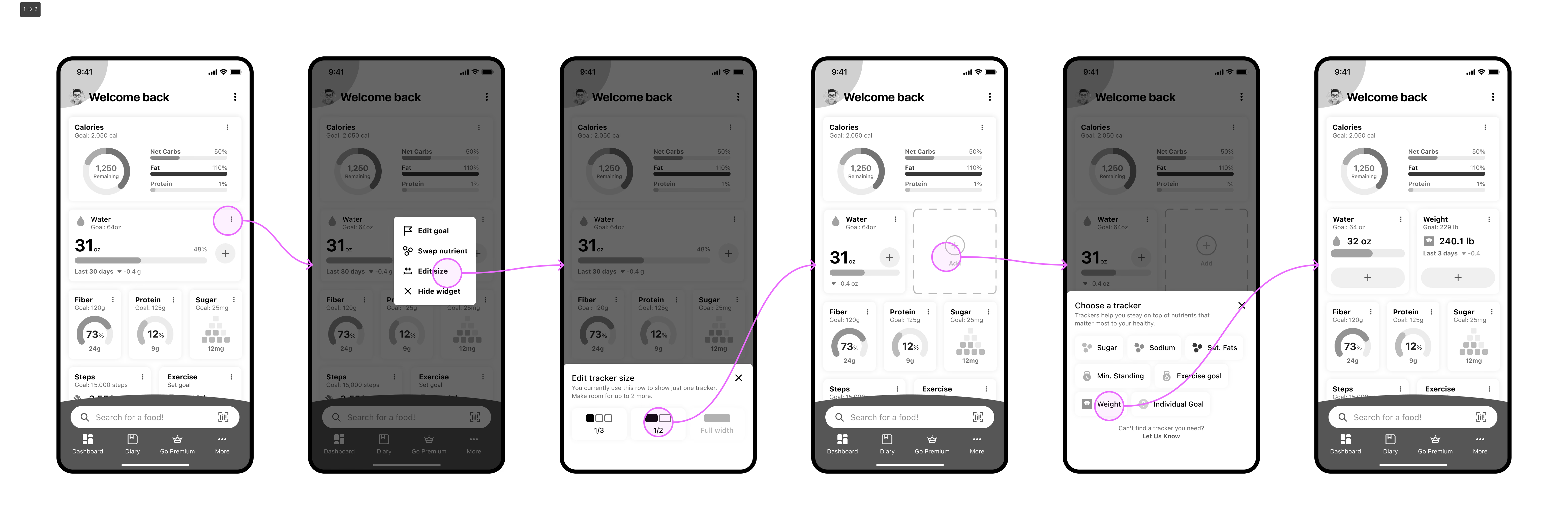
Concept A
Contextual Menu
Add a menu entry point on each dashboard card, giving users direct access to personalization from wherever they are on the screen.
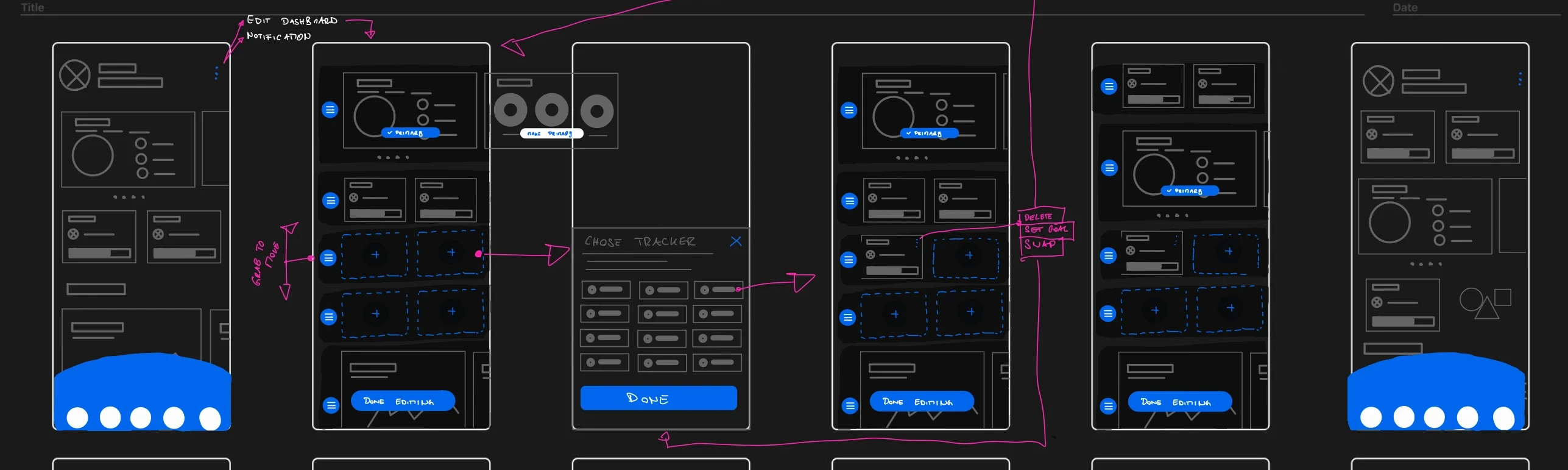
Concept B
Edit Mode
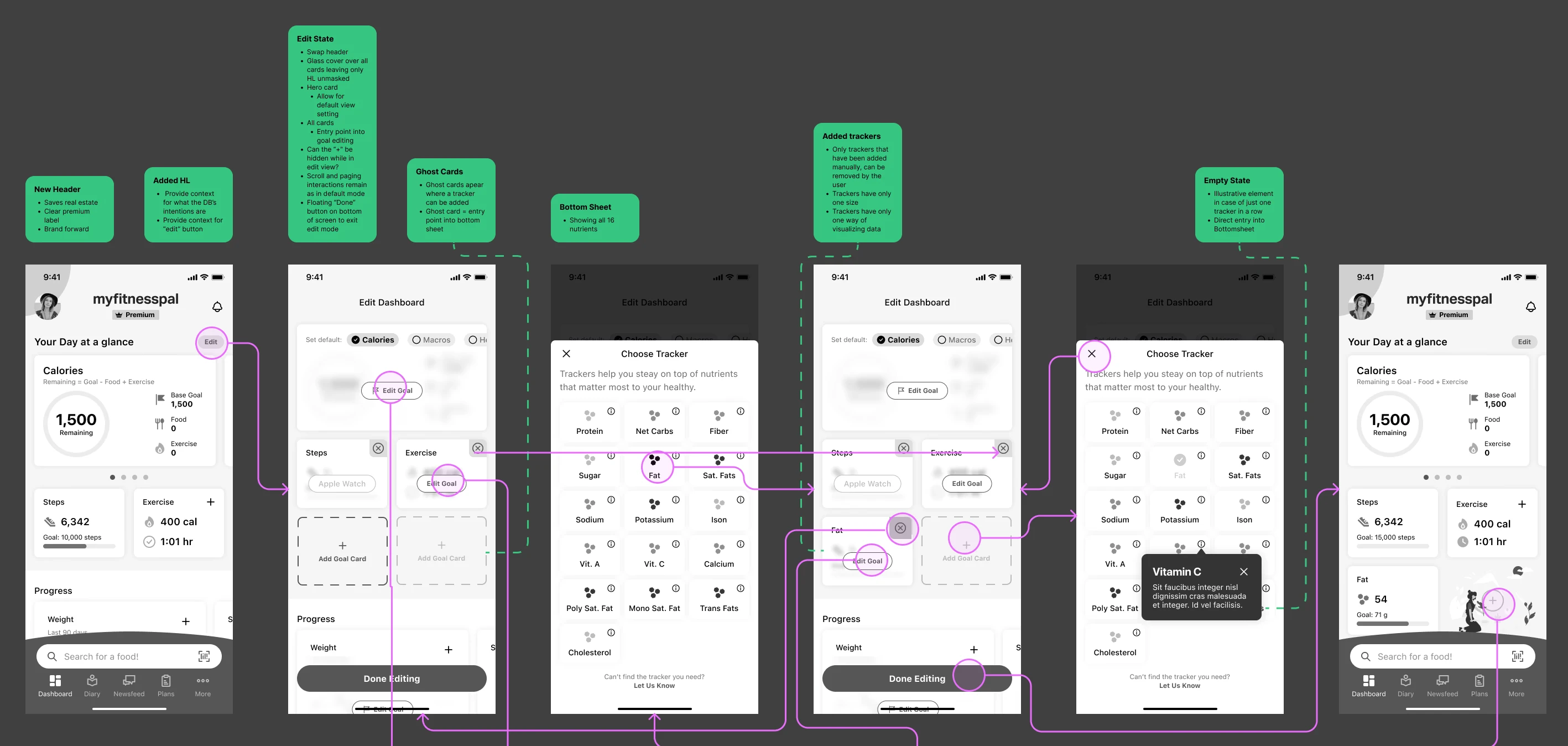
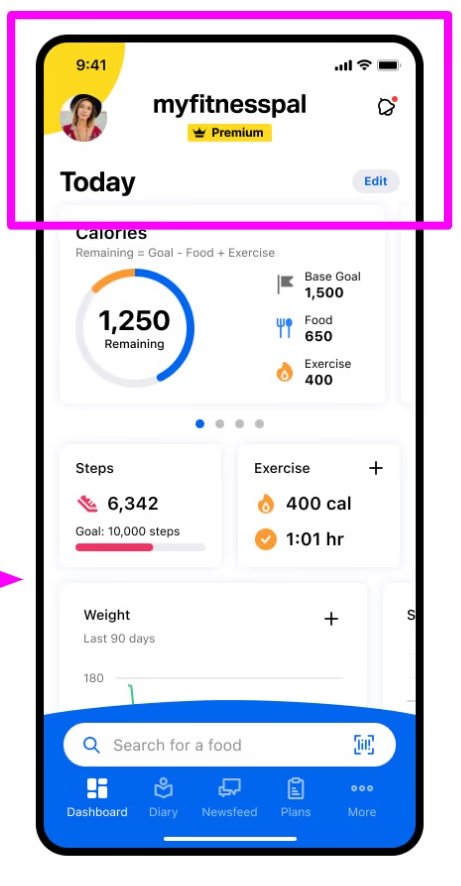
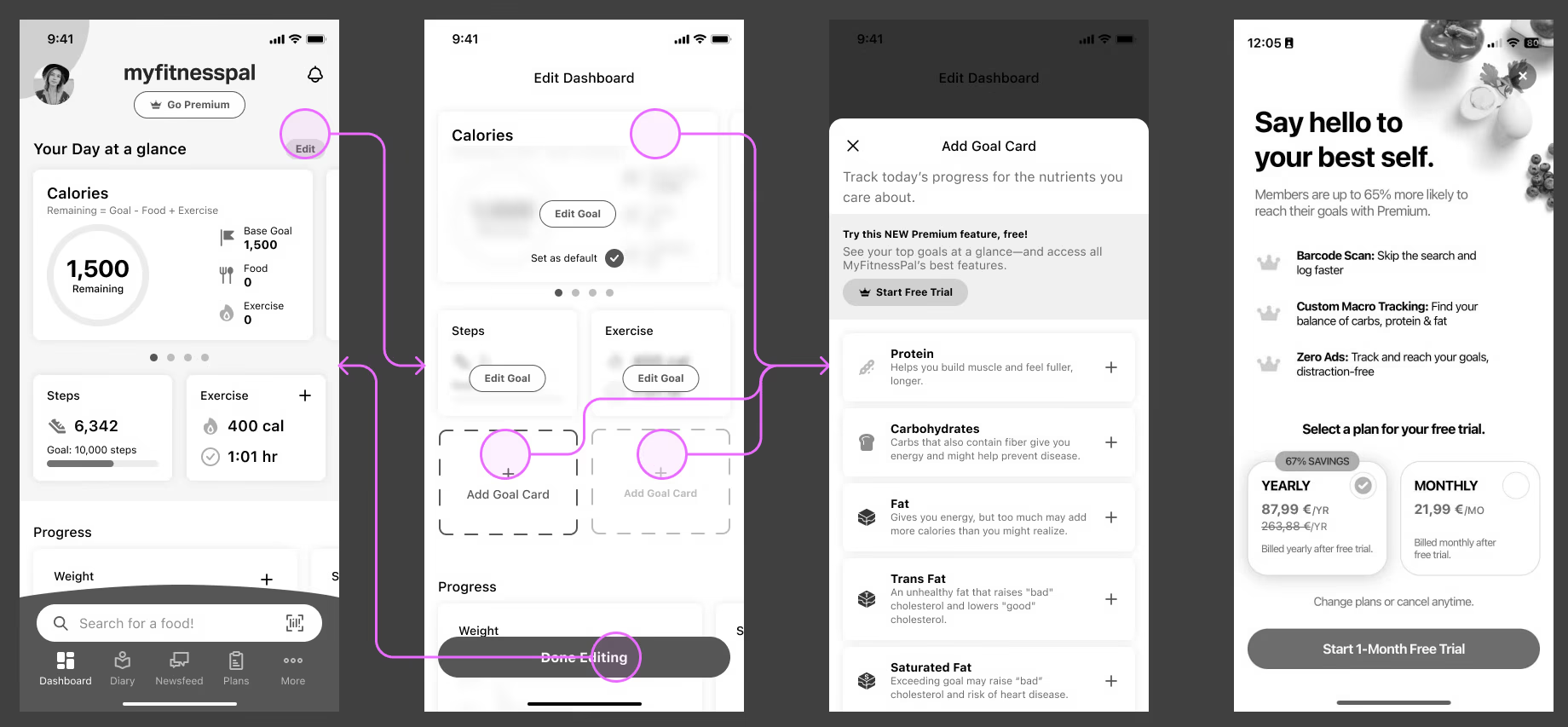
Introduce a "Today" header as a single entry point into a global edit mode — centralizing all personalization in one place.
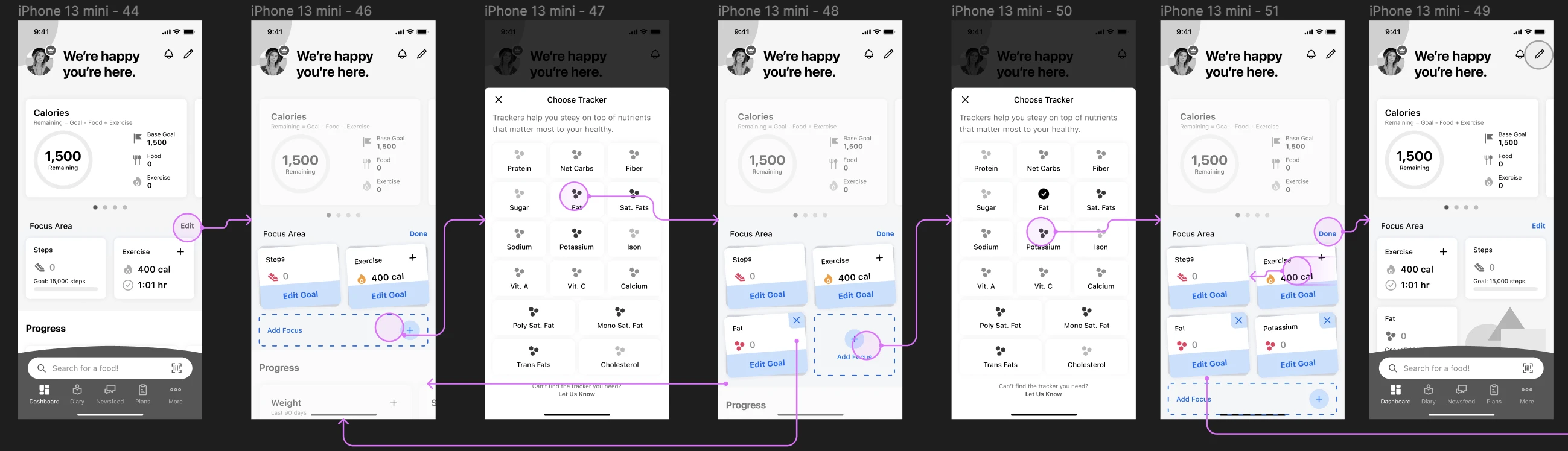
Concept C
Focus Area
Add a dedicated focus area for individual nutrients while keeping existing features unchanged — preserving familiarity for current users.
Scope
Early reviews with engineering set clear constraints: per-card contextual menus were heavier to build than expected, and a full-screen edit mode was feasible — with changes applied on exit to feel immediate.
Resizing cards and freely movable elements would balloon scope. Both were ruled out early, narrowing the path to a structured edit mode approach.
In scope
Out of scope
Testing
We ran qualitative A/B testing to compare two interaction patterns for entering edit mode and adding goal cards — gathering feedback on design, usability, and perceived value.
Goal
Set-up
Overall reception
Very positive across both prototypes. Users described the experience as intuitive, simple, and easy to use.
Learnings
Both prototypes performed well on usability and interest. The critical gap was discoverability — only 2 of 10 participants found the edit feature without being prompted.
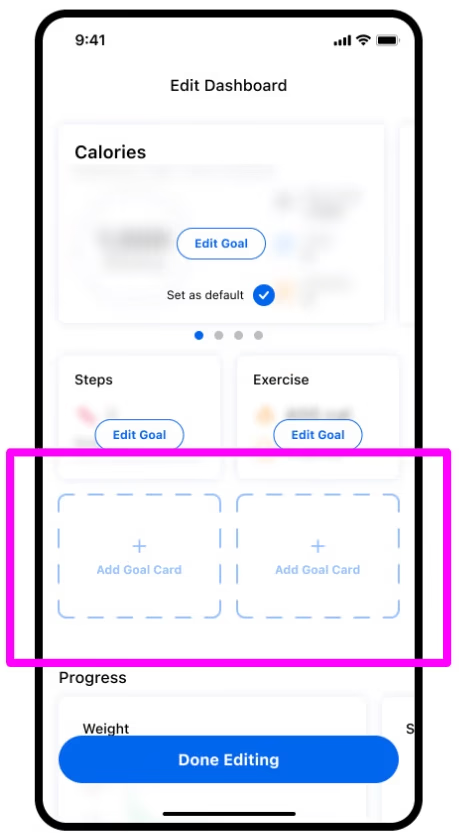
A quantitative preference for the ghost card "empty slot" conflicted with qualitative feedback about a perpetually unfinished look. We prioritized friction reduction over raw preference counts.
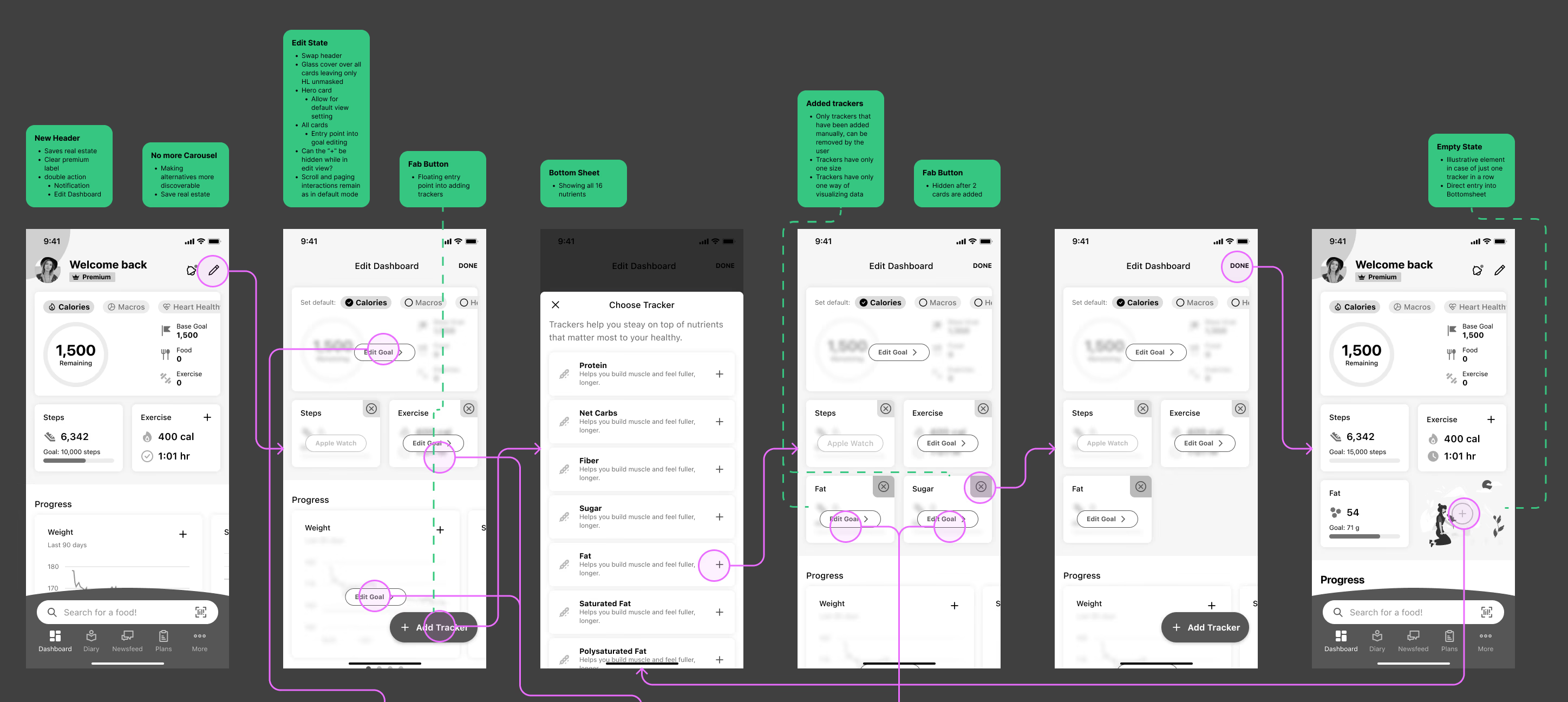
Version to Ship
We combined winning elements from both prototypes and addressed feedback from testing.
Icon Set
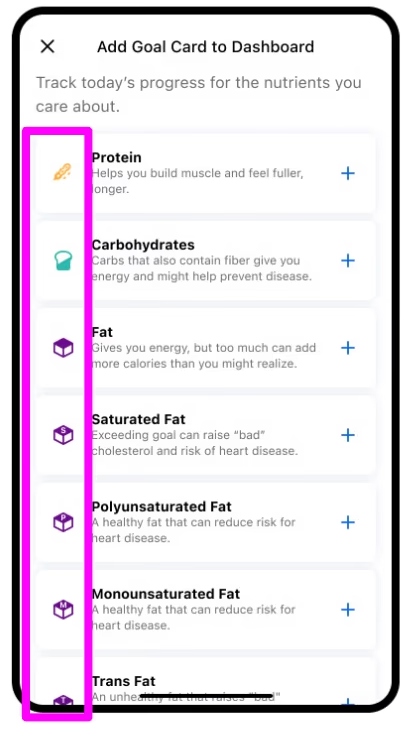
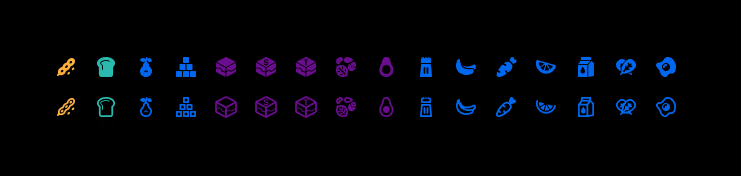
Designed a complete nutrient icon set to support quick recognition and personalized focus — each icon visually distinct at small sizes and meaningful at a glance.
Non-Premium Experience
We delayed the paywall until the last moment to make the feature's benefits discoverable first — creating a contextual upsell path that earns conversion rather than blocking it.
Outcomes
After consulting with the Data Science team, I can share directional outcomes without revealing NDA-protected numbers.
Adoption was limited — most discovery came through contextual marketing rather than organic in-app paths. We deliberately avoided heavy promotion for the initial release. Users who added at least one goal card showed higher engagement, though the causal direction remains unclear.
Explanation A
Adding a goal card drives retention
If true, this suggests improving discoverability and expanding personalization options would causally increase engagement and retention.
Explanation B
Already-engaged users add goal cards
If true, the feature may not causally improve retention. Further analysis of adopter profiles and logging behavior changes is required before drawing conclusions.
Key Takeaways
Due to a strategic shift, ongoing iteration was paused. We captured learnings and recommended follow-ups for future teams.
Takeaway 01
Listen to the details in UX testing
Quantitative preference for an "easy empty slot" conflicted with qualitative feedback about a perpetually unfinished look. We prioritized friction reduction over raw counts.
Takeaway 02
Partner early with engineering
Co-defining feasible scope with engineering surfaced better interaction improvements without adding effort. The scope conversation happened before wireframes, not after.
Takeaway 03
Measure outcomes carefully
Initial engagement signals were promising, but we avoided over-claiming causality until adoption patterns and behavior changes were better understood.